
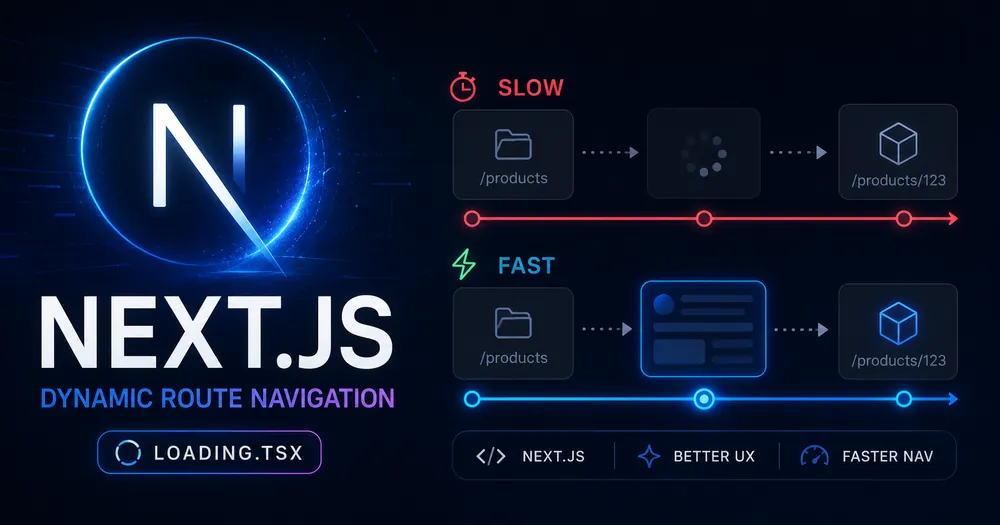
Your static pages navigate instantly. Your /blog/[slug] page freezes for a full second before anything happens. You’ve confirmed <Link> is in place. The network is fine. Lighthouse gives you a green score on the homepage.
The problem isn’t your infrastructure — it’s that Next.js dynamic routes skip prefetching entirely by default. Every click triggers a fresh server render from scratch, with nothing preloaded. And most tutorials don’t mention this at all.
Here’s how to diagnose which scenario you’re in, and the exact fix for each one.
Table of Contents
- Why Dynamic Routes Are Different
- Step 1 — Confirm It’s a Prefetch Problem, Not a Server Problem
- Step 2 — Identify Your Route Type
- Fix A — Add
loading.tsxfor Instant Visual Feedback - Fix B — Use
generateStaticParamsto Prerender Known Routes - Using Both Together
- Common Errors and How to Fix Them
- How to Measure the Improvement
- Summary
- FAQ
Why Dynamic Routes Are Different
Quick context before the diagnostic — if you already know the theory, skip ahead.
Next.js App Router renders pages as React Server Components. When a user clicks a <Link>, the client requests the Server Component Payload (RSC payload) from the server, waits for the response, then renders the new page. For static routes, that payload is preloaded before the click. For dynamic routes, it isn’t.
The reason is intentional: Next.js can’t speculatively prerender /blog/[slug] for every possible slug and every user in the viewport. The cost would be enormous. So it skips dynamic routes entirely and lets them cold-load on demand.
This is covered in more depth in the article on how Next.js prefetching actually works — worth reading if you want the full mental model before diving into fixes.
The short version: if your route has [brackets] in the folder name and you haven’t done anything extra, every navigation to that route is a cold server round-trip.
Step 1 — Confirm It’s a Prefetch Problem, Not a Server Problem
Before reaching for loading.tsx, rule out the simpler explanations.
Open Chrome DevTools → Network tab → filter by Fetch/XHR.
Click a <Link> that points to your dynamic route. Watch what happens:
- RSC request fires only on click — no pre-click requests in the
?_rsc=format → prefetching isn’t running. This is the case this article fixes. - RSC request fires before click (as the link enters the viewport) → prefetching IS running, but the server is slow. Your problem is TTFB, not prefetching. Check your data fetching, database queries, or consider ISR.
- No RSC request at all, full page reload → you’re using an
<a>tag somewhere instead of<Link>. Swap it.
One more check worth doing: open the Next.js Dev Toolbar (only visible in development). It shows a small indicator per route — static or dynamic. If your route shows dynamic and you expected it to be static, that’s the issue right there. A missing generateStaticParams, a dynamic function call inside the component (cookies(), headers(), searchParams), or an uncached fetch() can all silently force a route into dynamic mode.
Step 2 — Identify Your Route Type
The right fix depends on one question: does your route’s content change per request?
| Scenario | Route behavior | Right fix |
|---|---|---|
| Blog posts, product pages, docs — content is fetched from a CMS or API at build time | Should be static, probably isn’t | generateStaticParams |
| User-specific pages, search results, dashboards — content changes per user/request | Must be dynamic | loading.tsx |
| Both — some pages are static, new ones are created after build | Mixed (ISR) | Both, with revalidate |
If you’re unsure which category you’re in, look at your page.tsx. If it calls fetch() without { cache: 'force-cache' } or next: { revalidate }, or if it reads from cookies() / headers() / searchParams, it’s dynamic. Everything else is probably static — or could be.
Fix A — Add loading.tsx for Instant Visual Feedback
This is the fastest fix to ship and the right solution for genuinely dynamic routes. It doesn’t eliminate the server render — it makes the wait invisible.
When loading.tsx exists, Next.js wraps page.tsx in a <Suspense> boundary automatically. On navigation, the skeleton from loading.tsx appears instantly (it’s prefetched as part of the shared layout), and gets replaced by real content once the server responds.
File structure:
app/
  blog/
    [slug]/
      page.tsx       ← your existing page
      loading.tsx    ← add thisCode language: JavaScript (javascript)
Minimal implementation:
// app/blog/[slug]/loading.tsx
// Next.js 13.4+ (App Router)
export default function Loading() {
  return (
    <div className="article-loading">
      <div className="skeleton skeleton-title" />
      <div className="skeleton skeleton-meta" />
      <div className="skeleton skeleton-body" />
    </div>
  )
}Code language: JavaScript (javascript)
Basic skeleton CSS (add to your globals):
/* Match the real layout dimensions — this is critical for CLS */
.skeleton {
  background: linear-gradient(90deg, #f0f0f0 25%, #e0e0e0 50%, #f0f0f0 75%);
  background-size: 200% 100%;
  animation: shimmer 1.2s infinite;
  border-radius: 4px;
}
.skeleton-title {
  height: 2.5rem;
  width: 70%;
  margin-bottom: 1rem;
}
.skeleton-meta {
  height: 1rem;
  width: 40%;
  margin-bottom: 2rem;
}
.skeleton-body {
  height: 60vh; /* approximate article body height */
}
@keyframes shimmer {
  0% { background-position: 200% 0; }
  100% { background-position: -200% 0; }
}Code language: CSS (css)
⚠️ Note: The skeleton dimensions matter more than they look. If your real article header is 3.5rem and your skeleton is 2rem, you’ll get layout shift on the swap. That tanks CLS. Measure the real heights in DevTools and match them in the skeleton.
After adding loading.tsx, reload the page and click the link again. You should see:
- Click → skeleton appears instantly
- 200–800ms later (depending on server) → skeleton replaced by real content
No freeze. The user sees something happening immediately.
Fix B — Use generateStaticParams to Prerender Known Routes
If your content is the same for every user — blog posts, documentation, product pages — you should be statically prerendering the route, not dynamically rendering it on every request. generateStaticParams tells Next.js which slugs to build at deploy time.
Without it, Next.js treats [slug] as unknown at build time and defers everything to runtime. With it, each slug becomes a static page — and static pages get full prefetching.
Before (dynamic — cold-loads on every click):
// app/blog/[slug]/page.tsx
// Without generateStaticParams, this is dynamic by default
export default async function Page({
  params,
}: {
  params: Promise<{ slug: string }>
}) {
  const { slug } = await params
  const post = await fetch(`https://your-cms.com/posts/${slug}`)
    .then(res => res.json())
  return <article>{post.content}</article>
}Code language: JavaScript (javascript)
After (static — fully prefetched, instant navigation):
// app/blog/[slug]/page.tsx
// Next.js 14+ (App Router)
// Step 1: Tell Next.js which slugs to prerender at build time
export async function generateStaticParams() {
  const posts = await fetch('https://your-cms.com/posts', {
    // Cache this build-time fetch — don't re-fetch on every build unless needed
    next: { revalidate: 3600 },
  }).then(res => res.json())
  return posts.map((post: { slug: string }) => ({
    slug: post.slug,
  }))
}
// Step 2: The page component stays the same — Next.js handles the rest
export default async function Page({
  params,
}: {
  params: Promise<{ slug: string }>
}) {
  const { slug } = await params
  const post = await fetch(`https://your-cms.com/posts/${slug}`, {
    next: { revalidate: 3600 }, // ISR: rebuild this page every hour
  }).then(res => res.json())
  return <article>{post.content}</article>
}Code language: JavaScript (javascript)
Once deployed, /blog/[slug] routes listed in generateStaticParams become static. <Link> will prefetch them as users scroll through your post list. Clicking is instant.
💡 Tip:
generateStaticParamsonly covers slugs that exist at build time. If you publish a new post after deploying, that slug will 404 — unless you configure fallback behavior. Addexport const dynamicParams = trueto the page file to let new slugs render dynamically on first visit, then get cached.
// app/blog/[slug]/page.tsx
// Allow slugs not in generateStaticParams to render dynamically
// and be cached after first visit
export const dynamicParams = true
export const revalidate = 3600 // rebuild cached pages every hourCode language: JavaScript (javascript)
Using Both Together
For most real content sites, the right answer is both fixes working together:
generateStaticParamshandles all posts that exist at build time → fully static, fully prefetchedloading.tsxhandles new posts published after build (rendered dynamically on first visit) → shows skeleton instantly, real content loads behind itrevalidatecontrols how long the dynamic render gets cached before Next.js rebuilds it
app/
  blog/
    [slug]/
      page.tsx       ← generateStaticParams + revalidate + dynamicParams = true
      loading.tsx    ← skeleton for dynamic fallback visitsCode language: JavaScript (javascript)
The first visitor to a new post sees the skeleton. The second visitor gets a cached static page. Everyone else after that gets instant prefetched navigation. That’s the full setup.
Common Errors and How to Fix Them
“My route is showing as dynamic even though I added generateStaticParams.”
Check for dynamic function calls in the component or its imports. Any use of cookies(), headers(), or searchParams forces the route into dynamic mode — even if generateStaticParams is present. Move those calls to a separate Server Action or Route Handler if you need them.
“The skeleton flashes for a split second even on pre-built static routes.”
This usually means the route isn’t actually static — check the Dev Toolbar again. Another cause: a parent layout is dynamic, which forces all child routes into dynamic mode too. Check app/layout.tsx and any intermediate layouts for cookies() or headers() calls.
“My loading.tsx isn’t showing — navigation still freezes.”
Make sure loading.tsx is in the same folder as page.tsx. If it’s in a parent folder, it covers that layout level, not the specific page. Also confirm you’re using the App Router — loading.tsx has no effect in the Pages Router.
“I get a 404 for new posts after deploying.”
Add export const dynamicParams = true to your page.tsx. Without it, Next.js returns 404 for any slug not returned by generateStaticParams.
How to Measure the Improvement
Don’t ship this blind. Measure before and after.
In development: Open Network tab, filter Fetch/XHR. On page load, watch for ?_rsc= requests firing for links in the viewport — that’s prefetching working. If you only see them on click, it’s not.
In production: Use the web-vitals library to capture INP on link clicks. High INP on dynamic route navigations is the clearest indicator of the cold-load problem.
// app/layout.tsx
'use client'
import { onINP } from 'web-vitals'
import { useEffect } from 'react'
export function NavigationVitals() {
  useEffect(() => {
    onINP(({ value, rating, id }) => {
      // Send to GA4 via GTM dataLayer
      window.dataLayer?.push({
        event: 'navigation_inp',
        inp_value: Math.round(value),
        inp_rating: rating, // 'good' | 'needs-improvement' | 'poor'
        inp_id: id,
      })
    })
  }, [])
  return null
}Code language: JavaScript (javascript)
Set a baseline before shipping, then compare after. In most cases, adding loading.tsx to a dynamic route drops the perceived INP from 400–900ms to under 100ms — the skeleton renders in the same frame as the click.
For generateStaticParams, compare TTFB before and after in a Lighthouse CI run. Static pages typically respond in 20–80ms (CDN cache) vs 200–600ms for dynamic server renders.
Summary
Dynamic routes in Next.js are slow by default because they don’t prefetch — every click waits for a fresh server response. The fix depends on your content:
- Content that’s the same for every user →
generateStaticParamsturns the route static, full prefetching kicks in, navigation becomes instant - Content that changes per user or request →
loading.tsxshows a skeleton immediately on click, so the wait becomes invisible - Most real sites → both, with
dynamicParams = trueandrevalidatefor ISR
Start with the diagnostic: check the Network tab for ?_rsc= requests. If prefetching isn’t running before clicks, you know which fix to reach for.
FAQ
Does loading.tsx affect SEO?
No. loading.tsx only activates during client-side navigation, not on the initial server render. Crawlers receive the fully rendered page on their first request. The skeleton is never served to Googlebot.
Will generateStaticParams slow down my build?
It can, if you have thousands of slugs. For very large sites (10,000+ pages), consider generating only the most popular slugs at build time and using dynamicParams = true with ISR for the long tail. Next.js handles the rest on first visit.
What’s the difference between loading.tsx and a manual <Suspense> boundary?
loading.tsx is syntactic sugar for a <Suspense> boundary wrapping the entire page. It applies to the whole route automatically. Manual <Suspense> gives you finer control — you can wrap individual data-fetching components so parts of the page render while others are still loading. Use both: loading.tsx for the initial page-level skeleton, manual <Suspense> for streaming in heavy components like comment sections or related posts.
My generateStaticParams fetches from a CMS — what if the CMS is slow at build time?
Cache the build-time fetch with next: { revalidate } and consider paginating the request if you have many posts. Also look at your CMS’s CDN — most headless CMS providers (Contentful, Sanity, Hygraph) serve list endpoints from edge caches that should be fast. If build times are genuinely a problem, pre-generate only the last 100 posts and let ISR handle everything older.
Can I use both loading.tsx and generateStaticParams for the same route?
Yes, and you should. generateStaticParams covers known slugs (fully static). loading.tsx covers new slugs rendered dynamically on first visit after build. They complement each other — the skeleton only actually shows for that first dynamic visit; all subsequent visits hit the ISR cache.
📚 EXPLORE THE NEXT.JS SERIES
→ How Next.js Prefetching Really Works — and where it silently fails
→ Next.js useLinkStatus: Build a Navigation Loading Indicator