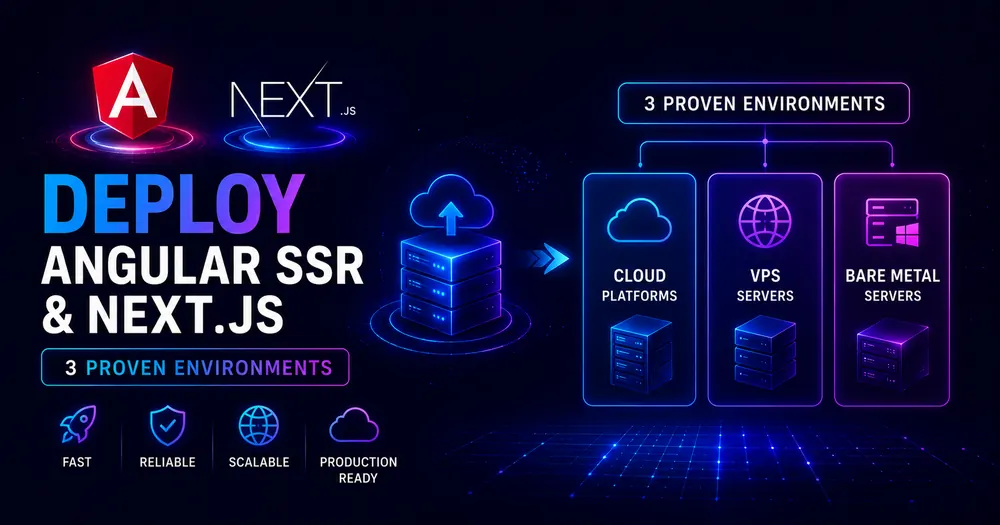
Both frameworks build and run — and then things get interesting. Next.js deploys to Vercel in a single push. Angular SSR needs a Node.js server you wire yourself, a custom serverless function entry point on Vercel, and a multi-stage Dockerfile that copies the right folders. Neither is impossible, but the gap in setup effort is real and worth knowing before you commit to infrastructure.
This covers all three environments — Node.js, Vercel, and Docker — for both frameworks side by side, including the exact configuration files and the errors that bite people in production.
Table of Contents
- Prerequisites
- Environment 1 — Node.js
- Environment 2 — Vercel
- Environment 3 — Docker
- Which Environment Fits Your App?
- Common Deployment Errors and Fixes
- Conclusion
- FAQ
Prerequisites
- Angular 21 with
@angular/ssrconfigured. If you haven’t set this up yet, the hybrid rendering setup guide covers the full scaffolding. - Next.js 16 (App Router).
- Node.js 20.19+ on your build machine and in your runtime environment.
- A working
ng buildornext buildbefore attempting any deployment — never debug a platform and a build error at the same time.
💡 Tip: Before deploying SSR at all, confirm which routes actually need it. Static prerendering (
outputMode: 'static'for Angular,export const dynamic = 'force-static'for Next.js) deploys as plain files with zero runtime — far simpler than a Node server. The render modes guide walks through when SSR is actually necessary.
Environment 1 — Node.js
Angular SSR on Node.js
ng build produces two folders: dist/my-app/browser/ (static assets) and dist/my-app/server/ (the Node server bundle). Start the server:
# Build
ng build
# Run — replace 'my-app' with your actual project name
node dist/my-app/server/server.mjsCode language: Bash (bash)
The server listens on port 4000 by default. Override with the PORT environment variable:
PORT=8080 node dist/my-app/server/server.mjsCode language: Bash (bash)For production, manage the process with a process manager like PM2 so the server restarts on crash:
npm install -g pm2
pm2 start dist/my-app/server/server.mjs --name my-app
pm2 save
pm2 startupCode language: Bash (bash)
The generated server.ts already handles static asset serving (express.static for the browser folder) before the Angular handler, so you don’t need a separate CDN for local or VM deployments.
Next.js on Node.js
Next.js ships its own production server — no Express wiring needed:
# Build
next build
# Run
next startCode language: Bash (bash)
next start listens on port 3000 by default. Override with:
PORT=8080 next startCode language: Bash (bash)For PM2:
pm2 start --name my-next-app npm -- startCode language: Bash (bash)Verdict: Next.js is simpler on Node — one command, no server file to maintain. Angular’s Node deployment is slightly more involved but fully predictable once you know the output structure.
Environment 2 — Vercel
Next.js on Vercel
Push to your Git repository, connect it in the Vercel dashboard, and click deploy. No configuration file needed. Vercel detects Next.js, runs next build, and handles SSR, ISR, static assets, CDN, and edge functions automatically. It’s the reference deployment for a reason.
# If deploying via CLI
npx vercel --prodCode language: Bash (bash)
Angular SSR on Vercel
This one requires three manual steps. Vercel doesn’t have a first-class Angular SSR adapter, so you expose the Angular server as a serverless function yourself.
Step 1 — Create the serverless function entry point.
At the project root, create api/index.js. This imports reqHandler from the compiled Angular bundle and exports it as the Vercel function:
// api/index.js
export default async (req, res) => {
  const {reqHandler} = await import('../dist/my-app/server/server.mjs');
  return reqHandler(req, res);
};Code language: JavaScript (javascript)
Replace my-app with your actual project name from angular.json.
Step 2 — Create vercel.json.
This tells Vercel how to build and route requests. The root route / must be listed explicitly — without it, Vercel serves the prerendered index.html statically and your SSR function never fires:
{
  "version": 2,
  "rewrites": [
    {"source": "/", "destination": "/api"},
    {"source": "/(.*)", "destination": "/api"}
  ],
  "functions": {
    "api/index.js": {
      "includeFiles": "dist/my-app/**"
    }
  }
}Code language: JSON / JSON with Comments (json)
Step 3 — Update package.json build script.
Vercel runs npm run build automatically. Make sure your build script runs ng build:
{
  "scripts": {
    "build": "ng build"
  }
}Code language: JSON / JSON with Comments (json)
If your Angular project has a separate build script name, update vercel.json with a custom buildCommand.
⚠️ Note: Vercel serverless functions have a 250MB uncompressed size limit. Large Angular apps with heavy lazy-loaded modules can approach this. If you hit it, tighten the
includeFilesglob to exclude assets the function doesn’t need at runtime — static images and fonts are served from the CDN, not the function.
Why the explicit / rewrite matters: Angular 17+ prerenders routes by default and writes them as HTML files into dist/my-app/browser/. Vercel sees browser/index.html and serves it statically for the root route, completely bypassing your server function. The explicit / rewrite takes priority over static file serving.
Verdict: Next.js on Vercel = zero work. Angular SSR on Vercel = three config files and one gotcha to know about. Once configured, Angular SSR runs reliably on Vercel functions.
Environment 3 — Docker
Angular SSR on Docker
Use a multi-stage build to keep the final image lean. The build stage installs all dependencies and compiles; the runtime stage copies only what the Node server needs:
# Dockerfile — Angular SSR
FROM node:20-alpine AS builder
WORKDIR /app
COPY package*.json ./
RUN npm ci
COPY . .
RUN npm run build
FROM node:20-alpine AS runtime
WORKDIR /app
# Copy compiled output only
COPY --from=builder /app/dist ./dist
COPY --from=builder /app/package*.json ./
# Install production dependencies only
RUN npm ci --omit=dev
EXPOSE 4000
ENV PORT=4000
CMD ["node", "dist/my-app/server/server.mjs"]Code language: Dockerfile (dockerfile)
Build and run:
docker build -t my-angular-app .
docker run -p 4000:4000 my-angular-appCode language: Bash (bash)
Next.js on Docker
Next.js has a standalone output mode that copies the minimal files needed to run the server, dramatically reducing image size. Enable it in next.config.ts:
// next.config.ts
import type {NextConfig} from 'next';
const nextConfig: NextConfig = {output: 'standalone'};
export default nextConfig;Code language: TypeScript (typescript)
Then the Dockerfile copies only .next/standalone for the runtime stage — no node_modules reinstall needed:
# Dockerfile — Next.js with standalone output
FROM node:20-alpine AS builder
WORKDIR /app
COPY package*.json ./
RUN npm ci
COPY . .
RUN npm run build
FROM node:20-alpine AS runtime
WORKDIR /app
# Standalone output includes the server and its minimal deps
COPY --from=builder /app/.next/standalone ./
COPY --from=builder /app/.next/static ./.next/static
COPY --from=builder /app/public ./public
EXPOSE 3000
ENV PORT=3000
CMD ["node", "server.js"]Code language: Dockerfile (dockerfile)
Verdict: Next.js’s standalone output produces a smaller, self-contained image with no separate npm ci in the runtime stage. Angular’s Docker setup is straightforward but does require the production node_modules install in the runtime layer. For large apps, adding a .dockerignore that excludes dev dependencies before the build keeps Angular’s final image manageable.
Which Environment Fits Your App?
| Node.js (self-hosted) | Vercel | Docker | |
|---|---|---|---|
| Angular SSR effort | Low — one command | Medium — 3 config files | Medium — Dockerfile + no extras |
| Next.js effort | Very low | Zero | Low — standalone output |
| ISR / PPR support | Angular: none; Next.js: full | Angular: none; Next.js: full | Angular: none; Next.js: full |
| Horizontal scale | Manual (load balancer) | Automatic | Kubernetes / ECS |
| Cold start | None | Possible on serverless | None |
| Best for | VMs, dedicated servers | Quick launch, Next.js-first teams | Containerised infra, any cloud |
A few guidelines: if your team already runs Kubernetes or ECS, Docker is the natural fit for both frameworks. If you’re starting a Next.js project and want the fastest path to production, Vercel is genuinely zero-friction. If you’re running Angular SSR and want the simplest deployment without platform lock-in, a plain Node.js server on a VM or PaaS (Railway, Render, Fly.io) gets you there without any adapter configuration.
Common Deployment Errors and Fixes
Angular: SSR never fires on Vercel — static index.html always served Missing the explicit / rewrite in vercel.json. Add {"source": "/", "destination": "/api"} as the first rewrite rule.
Angular: Error: Cannot find module '...dist/my-app/server/server.mjs' The includeFiles glob in vercel.json doesn’t match your actual dist path, or you haven’t run ng build before deploying. Verify the exact output path in angular.json → outputPath.
Angular: ReferenceError: window is not defined in production A component accesses browser globals during server rendering. Move the code into afterNextRender(). See the hydration guide for the full fix list.
Next.js: Docker image too large output: 'standalone' is missing from next.config.ts. Without it, the full node_modules directory is needed at runtime and the image balloons. Add the config and rebuild.
Both: Port already in use Set the PORT environment variable explicitly. Angular defaults to 4000, Next.js to 3000 — if you run both locally, they collide.
Both: Environment variables not available at runtime Variables must be available at build time AND runtime depending on how they’re used. For Angular, server-side process.env access works; for client-side, use the environment.ts pattern. For Next.js, prefix client-accessible vars with NEXT_PUBLIC_.
Conclusion
The Node.js story is simple for both frameworks — build, run, done. The gap appears on Vercel and in Docker. Next.js on Vercel is zero configuration by design; Angular on Vercel needs three files and an understanding of how prerendered HTML can silently bypass the server function. In Docker, Next.js’s standalone output cuts image complexity significantly, while Angular’s setup is standard but requires the extra npm ci in the runtime stage.
Pick your deployment environment before you pick your framework if infrastructure constraints are a factor. Angular SSR works on all three, but it requires more configuration in each. Next.js on Vercel is a genuine competitive advantage for teams that want to ship fast.
FAQ
How do I deploy Angular SSR to Vercel? Create an api/index.js file that imports and exports reqHandler from your compiled Angular server bundle. Create a vercel.json with two rewrite rules — one explicit for / and one for /(.*)— both pointing to /api, plus an includeFiles glob that bundles your dist folder. Ensure your package.json build script runs ng build.
What command starts an Angular SSR server in production? node dist/your-app-name/server/server.mjs, where your-app-name matches the name field in your angular.json. Set the PORT environment variable to change from the default port 4000.
How do I run Next.js in production without Vercel? Run next build to build the application, then next start to serve it. Use the PORT environment variable to change the default port 3000. For Docker, add output: 'standalone' to next.config.ts to generate a self-contained server bundle.
Why is my Angular SSR not working on Vercel after deployment? Most likely the root route / is serving the prerendered static index.html instead of going through the server function. Add an explicit {"source": "/", "destination": "/api"} rewrite at the top of your rewrites array in vercel.json.
Is Docker the same setup for Angular SSR and Next.js? Similar but not identical. Both use multi-stage builds. Next.js with output: 'standalone' produces a minimal self-contained bundle that doesn’t need a separate npm ci in the runtime stage. Angular SSR requires copying the dist folder and running npm ci --omit=dev in the runtime stage.
📚 READ NEXT
→ How to Set Up Hybrid Rendering in Angular 21 — configure SSR before you deploy
→ Angular SSR vs Next.js: How to Choose in 2026 — full framework comparison