
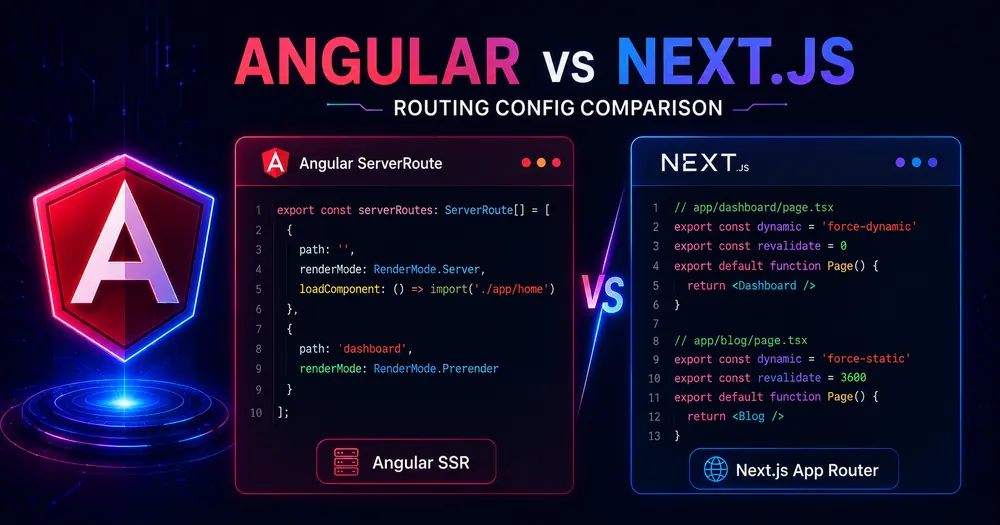
Both Angular and Next.js let you decide, per route, whether a page renders on the server, gets prerendered at build time, or stays client-side. Same problem. Both have documented APIs. On paper they look equivalent.
In practice the mechanics are far enough apart that a developer who knows one framework well will make real mistakes moving to the other — assigning a fallback strategy that doesn’t exist, expecting ISR that won’t happen, or writing param functions that silently break because of context rules. These aren’t edge cases; they’re the first things you reach for when building anything real.
Here are the five differences that matter most, with code on both sides.
Table of Contents
- Difference 1 — Config Philosophy: Explicit File vs File-System Defaults
- Difference 2 — Static Params for Dynamic Routes
- Difference 3 — Fallback Strategy for Unmatched Params
- Difference 4 — Time-Based Revalidation (ISR) — Next.js Only
- Difference 5 — Rendering Granularity: Route vs Component
- Does Any of This Change Which Framework You Should Pick?
- Conclusion
- FAQ
Difference 1 — Config Philosophy: Explicit File vs File-System Defaults
Angular makes rendering a deliberate, explicit decision. You open app.routes.server.ts and assign a RenderMode to each path. Nothing renders on the server unless you put it in that file:
// app.routes.server.ts — Angular 21
import {RenderMode, ServerRoute} from '@angular/ssr';
export const serverRoutes: ServerRoute[] = [
  {path: 'blog/:slug', renderMode: RenderMode.Server},
  {path: 'pricing', renderMode: RenderMode.Prerender},
  {path: 'app/**', renderMode: RenderMode.Client},
  {path: '**', renderMode: RenderMode.Server},
];Code language: TypeScript (typescript)
Every route’s behavior is visible in one file, reviewable in pull requests, and hard to get wrong by accident. The cost: more boilerplate, more decisions upfront.
Next.js (v16, App Router) goes the other direction. Server rendering is the default — every file in /app is a React Server Component unless you opt out. You override with route segment config exports at the top of any page.tsx or layout.tsx:
// app/blog/[slug]/page.tsx — Next.js 16
export const dynamic = 'force-dynamic';  // SSR on every request
// or:
export const revalidate = 3600;          // ISR — rebuild every hour
export default async function BlogPost({params}) {
  const post = await fetchPost(params.slug); // runs on the server
  return <article>{post.content}</article>;
}Code language: TypeScript (typescript)
The defaults-driven model is faster to start with — most routes just work without any config. The risk is that a developer adds 'use client' to fix a hydration error and accidentally converts a server-rendered page to CSR without realizing it.
For a full walkthrough of how Angular assigns render modes, the Angular render modes guide covers the decision framework in detail.
Difference 2 — Static Params for Dynamic Routes
Both frameworks need a way to tell the build system: “this route has a parameter — here are all the values you should prerender.” The mechanism works similarly; the syntax and context rules differ enough to trip people up.
Angular uses getPrerenderParams inside the server route config. The critical constraint: inject() must be called synchronously, before any await:
// app.routes.server.ts — Angular 21
import {RenderMode, ServerRoute, PrerenderFallback} from '@angular/ssr';
import {inject} from '@angular/core';
import {PostService} from './post.service';
export const serverRoutes: ServerRoute[] = [
  {
    path: 'blog/:slug',
    renderMode: RenderMode.Prerender,
    fallback: PrerenderFallback.Server,
    async getPrerenderParams() {
      const posts = inject(PostService); // inject() must be synchronous
      const slugs = await posts.getSlugs();
      return slugs.map((slug) => ({slug}));
    },
  },
];Code language: TypeScript (typescript)
Next.js uses an async function exported directly from the page file. No injection context to worry about — it’s a plain async function that can fetch, call a database, or do anything:
// app/blog/[slug]/page.tsx — Next.js 16
export async function generateStaticParams() {
  const posts = await fetch('https://api.example.com/posts').then(r => r.json());
  return posts.map((post: {slug: string}) => ({slug: post.slug}));
}
export default async function BlogPost({params}: {params: {slug: string}}) {
  const post = await fetchPost(params.slug);
  return <article>{post.content}</article>;
}Code language: TypeScript (typescript)
The practical difference: Angular’s inject() constraint is a common breakage point — calling inject() after an await inside getPrerenderParams throws at build time, not runtime, which means a developer who doesn’t know the rule ships a broken build. Next.js has no equivalent restriction. The Angular version is more explicit about where prerender config lives; the Next.js version co-locates it with the component, which keeps things contained but scatters configuration across many files.
Difference 3 — Fallback Strategy for Unmatched Params
What happens when a user requests a parameterized route that wasn’t generated at build time? Both frameworks handle this, but with different APIs and different defaults.
Angular uses an explicit fallback property on the server route:
{
  path: 'blog/:slug',
  renderMode: RenderMode.Prerender,
  fallback: PrerenderFallback.Server, // default — SSR on demand for unknown slugs
  // fallback: PrerenderFallback.Client — render in the browser
  // fallback: PrerenderFallback.None  — no fallback (404)
}Code language: TypeScript (typescript)
PrerenderFallback.Server is the default, which means unknown slugs get server-rendered on demand — sensible for a blog where new posts appear between deploys.
Next.js uses a route segment export:
// app/blog/[slug]/page.tsx — Next.js 16
export const dynamicParams = true;  // default — SSR on demand for unknown slugs
// export const dynamicParams = false; // 404 for unknown slugsCode language: TypeScript (typescript)
dynamicParams = true is the Next.js default, matching Angular’s PrerenderFallback.Server behavior. Setting it to false returns a 404, equivalent to PrerenderFallback.None.
The gap: Angular has a three-way choice (Server / Client / None); Next.js has a two-way switch (SSR fallback / 404). There’s no dynamicParams = 'client' equivalent in Next.js — if you want CSR fallback for unknown params, you’d need a different approach. In practice, the server fallback default works well for most use cases on both sides.
Difference 4 — Time-Based Revalidation (ISR) — Next.js Only
This is the most consequential gap between the two frameworks, and it goes entirely in Next.js’s favor.
Next.js has Incremental Static Regeneration. A prerendered page can revalidate on a timer — revalidate = 3600 means the page rebuilds in the background every hour, and visitors always get the cached version without waiting. On-demand revalidation pushes it further: a webhook from your CMS calls revalidatePath or revalidateTag and the specific page regenerates immediately:
// app/blog/[slug]/page.tsx — Next.js 16
export const revalidate = 3600; // ISR: rebuild in background every hour
export default async function BlogPost({params}: {params: {slug: string}}) {
  const post = await fetchPost(params.slug);
  return <article>{post.content}</article>;
}Code language: TypeScript (typescript)
// app/api/revalidate/route.ts — on-demand revalidation via webhook
import {revalidatePath, revalidateTag} from 'next/cache';
export async function POST(request: Request) {
const {slug} = await request.json();
revalidatePath(`/blog/${slug}`); // revalidate by path
revalidateTag(`post-${slug}`); // or by cache tag
return Response.json({revalidated: true});
}Code language: TypeScript (typescript)Next.js 16 also adds a 'use cache' directive for explicit component-level caching — but ISR via revalidate remains the standard for page-level freshness.
Angular has no equivalent. Prerendered routes are static until the next ng build and deploy. If your blog publishes three articles a day and you want each to appear without a redeploy, you have two options: fall back to RenderMode.Server for those routes (fresh on every request, but no caching), or set up an external rebuild trigger in your CI pipeline. Neither is as elegant as revalidate = 3600.
If your app has content that changes often and is the same for all users — product prices, news articles, event listings — ISR is a structural advantage that Angular doesn’t yet offer. For apps where content is static between deploys or per-user (where a CDN cache wouldn’t help anyway), the gap doesn’t matter.
Difference 5 — Rendering Granularity: Route vs Component
Angular applies rendering at the route level. A route has one RenderMode; every component in that route shares it. The closest thing to sub-route rendering control is @defer, which lazily hydrates component subtrees in the browser — but that’s a client-side timing mechanism, not a server rendering control.
Next.js applies rendering at the component level. Server Components and Client Components can be mixed freely within the same page. A product page can render the layout, header, and product data as a Server Component (no JS to the client), while the “Add to Cart” button is a Client Component that hydrates normally:
// app/product/[id]/page.tsx — Next.js 16 (React Server Components)
// This entire component runs on the server. Zero JS to client.
export default async function ProductPage({params}: {params: {slug: string}}) {
  const product = await db.getProduct(params.id);
  return (
    <main>
      <h1>{product.name}</h1>
      <p>{product.description}</p>
      {/* Only this subtree sends JS to the browser */}
      <AddToCartButton productId={product.id} />
    </main>
  );
}Code language: TypeScript (typescript)
With Next.js 16’s cacheComponents and PPR, the granularity goes further: static and dynamic content can coexist within a single response, with the static shell served from the CDN and dynamic portions streamed from the origin.
The practical impact: Angular’s route-level granularity is simpler to reason about and debug — every request to /product/:id behaves the same way. Next.js’s component-level granularity produces smaller client bundles and enables PPR, but requires developers to understand the Server / Client Component boundary consistently, which is a real ongoing maintenance cost on large teams.
Does Any of This Change Which Framework You Should Pick?
For most teams, the choice is still driven by what the Angular SSR vs Next.js comparison covers — team background, deployment preferences, and whether you need ISR. These five rendering-layer differences refine that decision rather than override it.
Where they do change the calculus:
- ISR is a hard requirement (content changes between deploys without a rebuild): Next.js is the clear choice. Angular has no current equivalent.
- Large team, need explicit and reviewable rendering decisions: Angular’s single
app.routes.server.tsfile makes rendering visible in code review. Next.js scatters config across dozens of page files. - You need component-level rendering control or sub-route dynamic streaming: Next.js RSC + PPR is ahead. Angular’s
@deferis a partial answer at hydration time. - Build-time static generation with a fallback for new content: Both handle this comparably —
getPrerenderParams+PrerenderFallback.ServervsgenerateStaticParams+dynamicParams = true.
Conclusion
The surface-level APIs look similar — both frameworks let you assign a rendering strategy to a route, and both support static generation with fallbacks for dynamic params. The differences underneath are real and consequential: Angular’s config is more explicit and centralised; Next.js’s defaults are faster to ship and uniquely extend into ISR, component-level granularity, and PPR. Neither approach is universally better — they’re optimised for different scales of team and different content update patterns. Know the five differences before you pick one, and you won’t be surprised by what you can’t do later.
FAQ
What is the Angular equivalent of Next.js generateStaticParams? Angular’s equivalent is getPrerenderParams, defined inside the ServerRoute config in app.routes.server.ts. The key behavioral difference is that inject() must be called synchronously at the top of the function before any await, while Next.js’s generateStaticParams has no such constraint.
Does Angular support ISR like Next.js? No. Angular SSR has no built-in equivalent of Incremental Static Regeneration. Prerendered routes are static until the next build and deploy. Routes that need fresh content must use RenderMode.Server to render on every request, with no built-in background revalidation or cache invalidation.
What is the Angular equivalent of Next.js dynamicParams? Angular uses PrerenderFallback on the server route: PrerenderFallback.Server (render on demand — equivalent to dynamicParams = true), PrerenderFallback.None (no fallback — equivalent to dynamicParams = false), or PrerenderFallback.Client (client-side render, no Next.js equivalent).
Can Next.js apply different render modes to components on the same page? Yes. React Server Components (RSC) are server-rendered by default and send no JavaScript to the client. Client Components ('use client') hydrate normally. With PPR via Cache Components in Next.js 16, static and dynamic content can even stream in the same HTTP response. Angular applies rendering at the route level — all components on a route share the same RenderMode.
Which framework is better for a blog with frequent content updates? Next.js, if content updates must appear without a redeploy. ISR with revalidate rebuilds pages in the background on a timer, and revalidateTag / revalidatePath enables on-demand updates from a CMS webhook. Angular prerendering requires a full rebuild and redeploy to reflect content changes.
📚 READ NEXT
→ Angular Render Modes: SSR, SSG, or CSR? — how to pick per route
→ Angular SSR vs Next.js: How to Choose in 2026 — full framework comparison