
Quantization Explained: From FP16 to INT4 Without Wrecking Accuracy
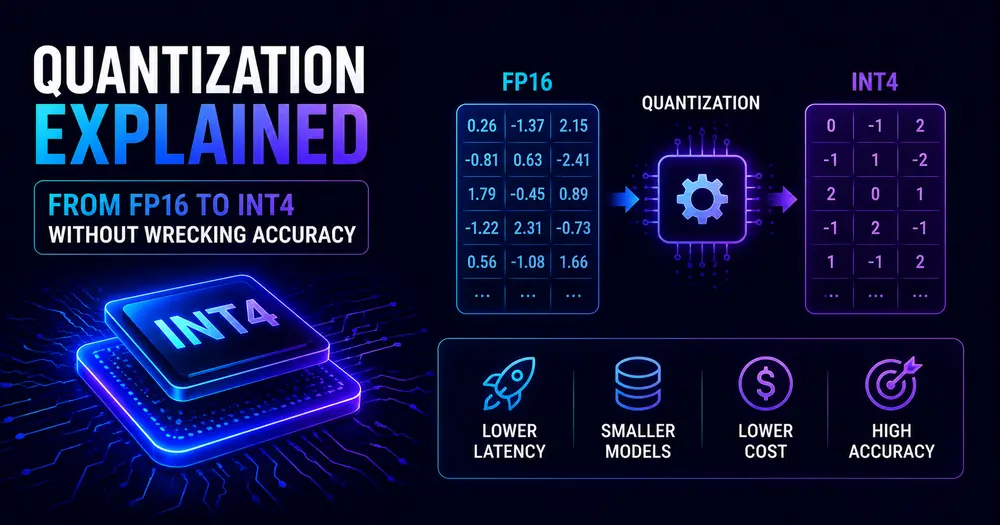
A 70-billion-parameter model at standard 16-bit precision needs roughly 140 GB of GPU memory just to load its weights. That’s two H100s before you’ve processed a single token. For most teams, that’s not a budget line — it’s a wall.
Quantization is how you take that wall down. It replaces the high-precision floating-point numbers that make up a model’s weights with smaller representations — INT8, INT4, or FP8 — so the same model fits in far less memory and runs faster. Naively, trading precision for size sounds like it should destroy a model. In practice, with the right method, it mostly doesn’t. Modern 4-bit quantization routinely recovers 98–99% of a full-precision model’s performance while cutting its memory footprint by 75%.
That’s not a footnote. It’s the quiet technical story behind the most significant development in applied AI in the last two years: the point where powerful open-weight models started running on hardware that developers actually own.
Table of Contents
- What quantization actually does
- The precision ladder: FP16 to FP8 to INT4
- How modern methods lose so little
- The accuracy story: what the research shows
- The 2026 story: how this changed the hardware picture
- When to reach for which format
- How it connects to the rest of your stack
- FAQ
What quantization actually does
A model’s weights are numbers. At training time, those numbers are typically stored as 32-bit or 16-bit floating points — high precision, but expensive. Each FP16 weight takes 2 bytes; a 70B-parameter model therefore takes 140 GB just to represent.
Quantization maps those high-precision numbers onto a smaller range. INT8 uses 1 byte per weight (8 bits); INT4 uses half a byte (4 bits). The memory math is straightforward:
def model_vram_gb(n_params: int, bits: int) -> float:
    """Rough VRAM for model weights. Excludes KV cache and activations."""
    return (n_params * bits / 8) / 1e9
model_vram_gb(70_000_000_000, bits=16)  # → 140 GB  two H100s required
model_vram_gb(70_000_000_000, bits=8)   # →  70 GB  one H100 80GB fits it
model_vram_gb(70_000_000_000, bits=4)   # →  35 GB  one H100 with headroom for KV cacheCode language: Python (python)
Beyond memory, smaller weights mean fewer bytes move between GPU memory and compute units on every pass — and since LLM inference is memory-bandwidth-bound, that translates directly to higher throughput. Quantization reduces the inference bill on two lines at once: less hardware to rent, and more tokens per second on the hardware you have.
The precision ladder: FP16 to FP8 to INT4
Not all quantization is equal. Here’s the practical ladder in 2026:
| Precision | Bytes/weight | 70B VRAM | Accuracy vs FP16 | Best for |
|---|---|---|---|---|
| FP32 | 4 | 280 GB | Baseline | Training, research |
| FP16 / BF16 | 2 | 140 GB | Baseline | Standard serving |
| FP8 | 1 | 70 GB | ~100% (H100+) | High-throughput production |
| INT8 | 1 | 70 GB | ~99.9% | Near-lossless serving |
| INT4 | 0.5 | 35 GB | 98–99% | Consumer GPU, edge, self-hosted |
| INT2 | 0.25 | 18 GB | Highly variable | Experimental only |
FP8 is a floating-point format — it keeps exponent bits and just compresses the mantissa — which is why it stays so close to FP16 quality. On NVIDIA H100 hardware, FP8 weight-plus-activation quantization (W8A8-FP) processes over twice as many tokens per second as FP16, with quality loss so small it’s described in the research as effectively lossless. The catch: it requires H100-class hardware to realize the compute speedup.
INT4 is where most of the 2026 action is. Below that — 2-bit — is a quality cliff: perplexity spikes and the model starts generating incoherent text even with the best current methods. Treat anything below 4-bit as experimental until the field catches up.
How modern methods lose so little
If you round every weight in a model to the nearest integer, you get garbage. Weights aren’t uniformly distributed; some layers are far more sensitive to precision than others, and naive rounding compounds errors across 80 layers of a 70B model into something unusable. What makes modern quantization work is that it doesn’t round naively.
GPTQ (Frantar et al., 2022) uses second-order information — specifically, which weights the model’s output is most sensitive to — to decide how to round each weight. Instead of snapping to the nearest integer, GPTQ compensates for each rounding error in the weights that follow it, so errors don’t accumulate. The result is that a 175B model can be compressed to 4-bit in a few GPU hours with almost no change in perplexity on the calibration domain. The weakness: GPTQ aligns weights to its calibration dataset, so performance can drift when the deployed use case is far from that distribution.
AWQ (Lin et al., 2023) targets a different root cause. It turns out that roughly 1% of weights have especially large activations — these are the ones that matter most for model quality and suffer most under aggressive quantization. AWQ identifies those salient weights and scales them before quantization so they survive with less rounding error, leaving activations in FP16 throughout. The practical advantage over GPTQ shows up in out-of-domain evaluation: where GPTQ’s perplexity can worsen by 2–5 points on a cross-domain calibration mismatch, AWQ shifts by roughly 0.5–0.6. For production deployments where the query distribution is hard to predict, AWQ is the more robust starting point.
GGUF, the format used by llama.cpp, packages models into self-contained files with a menu of mixed-precision options — Q4_K_M, Q5_K_M, Q8_0 and others — each striking a different point on the quality/size curve. Unlike GPTQ and AWQ, GGUF runs efficiently on CPUs and Apple Silicon as well as GPUs, which is why it became the standard for consumer and edge deployments.
bitsandbytes (LLM.int8() and 4-bit NormalFloat / NF4) integrates directly with the HuggingFace ecosystem, letting you quantize a model on load without needing a pre-quantized checkpoint. It’s the path of least resistance for inference and for QLoRA fine-tuning, where you train adapters on top of a frozen quantized base model.
Loading a quantized model in practice is just a flag:
from transformers import AutoModelForCausalLM
# Load a pre-quantized AWQ checkpoint — fast, GPU-efficient
model = AutoModelForCausalLM.from_pretrained(
    "Qwen/Qwen2.5-7B-Instruct-AWQ",
    device_map="auto",
)
# Or quantize on load with bitsandbytes (no pre-quantized model required)
model = AutoModelForCausalLM.from_pretrained(
    "meta-llama/Meta-Llama-3-8B-Instruct",
    load_in_4bit=True,      # NF4 (NormalFloat4) quantization
    device_map="auto",
)Code language: Python (python)
All of the above are post-training quantization — applied after training, no retraining required. The alternative, quantization-aware training (QAT), bakes simulated quantization into the training loop so the model learns to compensate, yielding higher quality at the same bit-width. The cost is access to the full training pipeline. For most teams working with public checkpoints, QAT isn’t an option; PTQ with AWQ or GPTQ is.
The accuracy story: what the research shows
The empirical picture across 2024–2026 is consistent enough to be actionable.
INT8 and FP8 are essentially free. Benchmarks across model families show INT8 perplexity essentially matching FP16. FP8 weight-and-activation quantization has been characterized as lossless across model scales in published evaluations. If you’re running on H100 hardware, FP8 is the obvious production choice — better throughput, same quality.
INT4 with a good method is nearly free. A January 2026 benchmark of Mistral-7B-Instruct using llama.cpp’s Q4_K_M format measured a perplexity degradation of just 0.51% compared to FP16. A well-quantized 4-bit model recovers approximately 98–99% of full-precision benchmark performance. And there’s a counterintuitive result that holds up across studies: a 4-bit quantized 70B model consistently outperforms a full-precision 13B model using the same amount of VRAM. More parameters, lower precision, better output — quantization inverts the obvious assumption.
Below 4-bit: expect a cliff. 3-bit quality is noticeably degraded; 2-bit loses coherence with current methods. Research puts 4-bit at roughly 11× more efficient than 2-bit when you measure size reduction against quality cost. Avoid 2-bit in production, and treat 3-bit as a compromise of last resort.
⚠️ Note: Benchmark numbers are model- and task-dependent. The 0.51% perplexity figure is for Mistral-7B on one evaluation set. Run your quantized model against your own task before assuming the quality loss is acceptable — which is exactly what you’d do with any significant model change. If you don’t have evals for this, that’s the gap to close first.
The 2026 story: how this changed the hardware picture
Two years ago, running a serious open-weight model required enterprise GPU infrastructure. The shift since then isn’t that the models got smaller — it’s that 4-bit quantization made large models fit on hardware that developers actually own.
The 2026 hardware ladder looks like this: 3B models run on a laptop NPU or Apple Silicon without a discrete GPU. 7–13B models run comfortably on a single consumer GPU (RTX 4090, 24 GB). 70B models run on a single H100 with quantization, or across two consumer GPUs. That’s a Llama-class or Qwen-class model that in 2022 would have needed a server cluster, now running locally for inference.
The benchmark picture reflects it. Open-weight models closed most of the reasoning gap in 2025: DeepSeek R2 reaches the high 70s on GPQA Diamond, Llama 4.x sits in the low-to-mid 70s, and GPT-5 leads at 83–85%. A meaningful gap remains at the frontier, especially on agentic and long-horizon tasks — but the gap for most production workloads has narrowed to the point where “use an open-weight model, quantized” is a legitimate architecture decision, not a compromise.
Quantization isn’t the only cause of that shift, but it’s a load-bearing one. The model families improved substantially. The inference stacks matured. And 4-bit quantization made the hardware requirement manageable. All three moved together, which is why the shift felt sudden.
💡 Tip — the quantization format you choose matters less than whether you measure the tradeoff. Load your candidate quantized checkpoint, run it on your actual eval set, and compare. If the quality delta is within your tolerance, ship the quantized version. If it isn’t, try a higher-bit format or AWQ instead of GPTQ. The answer is in your data, not in someone else’s benchmark.
When to reach for which format
Practically:
- FP16 / BF16: training, research, maximum-fidelity serving when you have the hardware for it.
- FP8: H100-class inference in production — near-lossless quality, 2× throughput gain. Worth setting up if you’re on H100s.
- INT8 (bitsandbytes / SmoothQuant): near-lossless serving, maximum compatibility across hardware. Good default if FP8 isn’t available.
- INT4 AWQ: production inference on constrained hardware. Most robust default for quantized deployments where you can’t predict the query domain.
- INT4 GPTQ: same role as AWQ, slightly better same-domain perplexity, less robust cross-domain. Fine for narrow-use-case applications where the calibration distribution matches the deployment one.
- GGUF (Q4_K_M / Q5_K_M): CPU, Apple Silicon, edge, local development. The format for anything that’s not a data-center GPU. Q4_K_M is the most popular balance; Q5_K_M if you have the extra VRAM.
- INT2 / Q2: don’t. Not in production. Not yet.
How it connects to the rest of your stack
Quantization’s most direct interaction is with the KV cache. The techniques that compress model weights are increasingly applied to the cache itself — storing cached keys and values in FP8 or INT8 instead of BF16, roughly halving the cache’s VRAM footprint. Weight quantization and KV-cache quantization are separate dials, but they stack: a 4-bit model with an 8-bit KV cache fits dramatically more on a single GPU than either alone, which is why modern inference stacks (vLLM, SGLang) expose both.
On the inference-cost side, quantization is one of the highest-leverage levers for self-hosted serving: smaller weights mean higher throughput on fixed hardware, which translates directly to a lower cost-per-token. The economics that make self-hosting competitive at scale are largely quantization economics.
And on the training side: QLoRA, which fine-tunes adapters on top of a 4-bit frozen base, has made domain adaptation accessible to teams that couldn’t afford to fine-tune at FP16. The base model’s memory footprint drops to the quantized size; the trainable adapter is tiny. It’s how you get a fine-tuned 70B model on hardware that technically can’t run a 70B model. All of this is one more entry in the 2026 AI terms every developer should know — and the one with the most direct line from understanding to cost savings.
FAQ
What is LLM quantization?
Quantization reduces a model’s weight precision from the high-bit floats used at training time (typically FP32 or FP16) to lower-bit integers or floats (INT8, INT4, FP8). It cuts VRAM usage proportionally — a 4-bit model uses 75% less memory than its FP16 version — and raises throughput because smaller weights are faster to transfer on the GPU memory bus.
Does quantization hurt model quality?
At INT8 and FP8, quality loss is negligible in most benchmarks — effectively lossless for standard tasks. At INT4 with modern methods like GPTQ or AWQ, performance drops by roughly 1–2%, and a 4-bit 70B model typically outperforms a full-precision 13B model at the same memory footprint. Below 4-bit, quality degrades significantly; 2-bit currently produces incoherent output with most methods.
What is the difference between GPTQ and AWQ?
Both quantize model weights to INT4 post-training without retraining. GPTQ uses second-order sensitivity information to minimize rounding error and preserves perplexity tightly on its calibration domain, but can drift more when the deployment distribution differs from calibration. AWQ protects the small fraction of weights with the largest activations, which makes it more robust across query distributions — the cross-domain perplexity shift is around 0.5 points for AWQ versus 2–5 for GPTQ in published comparisons.
What is GGUF quantization?
GGUF is the file format used by llama.cpp, supporting a range of mixed-precision quantization levels (Q4_K_M, Q5_K_M, Q8_0, and others). It is designed for cross-platform inference — CPU, GPU, and Apple Silicon — and is the standard format for running quantized models locally on consumer hardware. Q4_K_M is the most widely used option, trading about 0.5% perplexity for a 43–50% reduction in model file size.
Should I quantize my model for production?
For self-hosted inference, yes — almost always. INT8 or AWQ INT4 is the right starting point. Load your quantized model, run it against your actual evaluation set, and verify the quality loss is within your tolerance. If it is, the VRAM savings and throughput gains make quantization the default. If it isn’t, try a higher-bit format before concluding quantization isn’t viable.
📚 READ NEXT
→ KV Cache: Why Long Context Isn’t Free — the memory cost behind every long prompt
→ Why Your AI Bill Is Almost All Inference — and the levers that cut it