
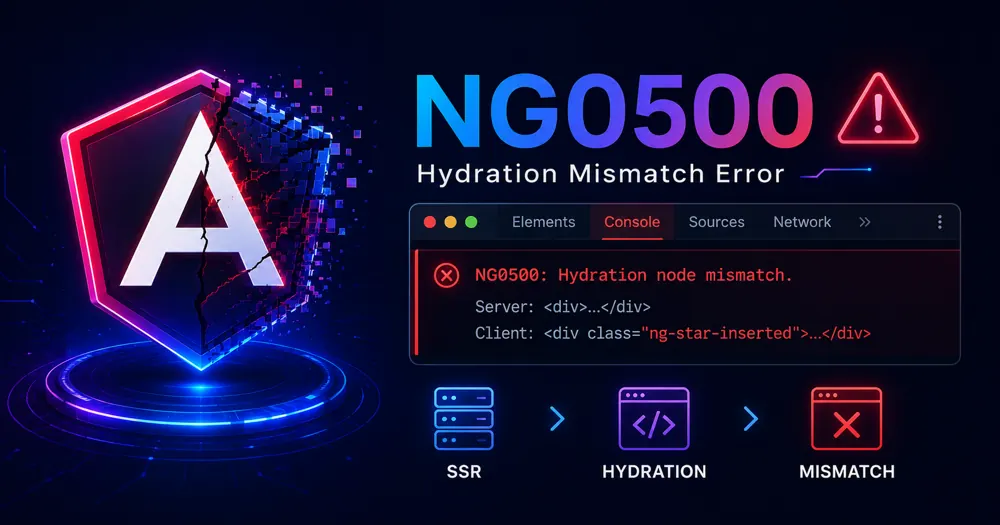
You enabled SSR. The page loads fast, the HTML is right there in view-source — and then the console lights up red: NG0500: During hydration Angular expected <div> but found <script>. Sometimes the layout even flickers as it loads. Everything looks fine, which somehow makes it worse.
A hydration mismatch means the DOM your server rendered and the DOM your client expected don’t line up. Angular tries to reuse the server’s HTML instead of rebuilding it, and when the two trees disagree, it throws — or worse, silently re-renders and tanks your layout stability.
The error is almost never random. There’s a small set of causes, and each has a clean fix. Here’s how to read the error, find the culprit, and stop it from coming back.
Table of Contents
- Understanding the Root Cause
- Quick Diagnostic Checklist
- The Hydration Error Codes, Decoded
- Fix 1 — Stop Manipulating the DOM Directly
- Fix 2 — Never Branch Templates on isPlatformBrowser
- Fix 3 — Validate Your HTML Structure
- Fix 4 — Tame Third-Party Libraries and Scripts
- Fix 5 — Production-Only Mismatches
- When Is It Safe to Use ngSkipHydration?
- How to Prevent This in the Future
- Conclusion
- FAQ
Understanding the Root Cause
Hydration is Angular reusing the server’s HTML instead of throwing it away. The server sends a fully rendered page; the client boots, walks that existing DOM, and attaches its logic and event listeners in place — no destroy-and-rebuild. It’s faster and it kills the flash of blank content.
The catch is that hydration assumes the server and client produce the same tree. Angular even embeds invisible comment nodes in the server HTML as anchors so the client knows where view containers begin and end. When the client finds something different at a position it had a record for — a <p> where it expected a <div>, a node that vanished, an extra sibling that appeared — it can’t reconcile the two. That’s a mismatch.
So the real question is never “why is hydration broken.” It’s “what changed the DOM between server render and client hydration.” Answer that and you’ve found your bug.
Quick Diagnostic Checklist
Before diving into fixes, narrow it down. Run through these in order:
- Read the error’s “expected vs actual” block. Angular tells you the exact node it expected and what it found instead. That’s your crime scene — note the component named in the stack trace.
- Does it only happen in production? That points at your CDN or a minifier stripping Angular’s comment nodes, not your code. Jump to Fix 5.
- Does the offending component use
document,window, or a charting/DOM library? That’s almost always Fix 1 or Fix 4. - Does the template have an
@if (isPlatformBrowser(...))anywhere? Found it — Fix 2. - Is the HTML structurally valid? A
<div>inside a<p>, a table missing<tbody>— browsers silently “correct” these, creating a mismatch. See Fix 3.
The Hydration Error Codes, Decoded
You’ll see different NG05xx codes depending on how the trees diverged. They all trace back to the same root cause:
| Code | Meaning | Usual trigger |
|---|---|---|
| NG0500 | Node mismatch — expected one element, found another | Direct DOM manipulation or invalid HTML |
| NG0501 | Missing sibling nodes | A library removed or reordered nodes |
| NG0502 | A node Angular expected is gone | DOM node deleted before hydration |
| NG0503 | Unsupported projection of DOM nodes | Content projection edge case |
| NG0505 | No hydration info in the server response | SSR didn’t run, or provideClientHydration() is missing |
| NG0507 | HTML altered after server-side rendering | A script or proxy changed the markup in transit |
NG0500 is the one you’ll meet most. Treat the rest as variations on “the DOM moved.”
Fix 1 — Stop Manipulating the DOM Directly
This is the number-one cause. Code that grabs document and mutates the DOM during initialization runs on the server too — and the server’s DOM is a different beast. Worse is when it runs in ngOnInit on the client and inserts a node Angular has no record of.
// ❌ Causes NG0500 — Angular never sees this node
@Component({selector: 'app-banner', template: '<div>Welcome</div>'})
export class Banner {
  private host = inject(ElementRef).nativeElement;
  ngOnInit() {
    const p = document.createElement('p');
    p.textContent = 'Hello';
    this.host.prepend(p); // Angular expected <div> first, finds <p>
  }
}Code language: TypeScript (typescript)
Two clean fixes, depending on what you need.
If the manipulation is genuinely browser-only (measuring scroll height, integrating a non-Angular widget), move it into afterNextRender — it runs only in the browser, only after hydration completes:
// ✅ Browser-only work, after hydration — never runs on the server
import {Component, afterNextRender, inject, ElementRef} from '@angular/core';

@Component({selector: 'app-banner', template: '<div>Welcome</div>'})
export class Banner {
  private host = inject(ElementRef).nativeElement;
  constructor() {
    afterNextRender(() => {
      const p = document.createElement('p');
      p.textContent = 'Hello';
      this.host.prepend(p);
    });
  }
}Code language: TypeScript (typescript)
But honestly, if the content belongs in the component, the better answer is to stop manipulating the DOM at all and just put it in the template. Let Angular render it on both sides. afterNextRender is for things Angular can’t express — not an excuse to keep imperative DOM code.
Fix 2 — Never Branch Templates on isPlatformBrowser
This one’s sneaky because it feels like the “correct” SSR pattern. It isn’t.
// ❌ Server renders nothing here; client renders the widget — instant mismatch + layout shift
@Component({
  template: `
    @if (isBrowser) {
      <app-live-chart />
    }
  `,
})
export class Dashboard {
  isBrowser = isPlatformBrowser(inject(PLATFORM_ID));
}Code language: TypeScript (typescript)
On the server isBrowser is false, so nothing renders. On the client it’s true, so the chart appears — and now the client DOM has an element the server’s didn’t. Mismatch. And even when it doesn’t throw, that element popping in after load is a Cumulative Layout Shift hit, which Google measures and ranks on.
Keep the rendered markup identical across server and client. Render a stable placeholder on both sides, then fill it in the browser through afterNextRender:
// ✅ Same markup on both platforms; the chart initializes after hydration
@Component({
  template: `<div #chart class="chart-slot"></div>`,
})
export class Dashboard {
  private slot = viewChild.required<ElementRef>('chart');
  constructor() {
    afterNextRender(() => initChart(this.slot().nativeElement));
  }
}Code language: TypeScript (typescript)
Reserve the slot’s height in CSS so nothing jumps when the chart mounts. Zero shift, zero mismatch.
Fix 3 — Validate Your HTML Structure
Browsers quietly repair invalid HTML. A <div> nested inside a <p>? The browser closes the <p> early and moves the <div> out. A <table> without a <tbody>? The browser inserts one. The server’s string output and the browser’s parsed DOM no longer match — and hydration throws.
<!-- ❌ Browser auto-closes the <p>, relocating the <div> -> NG0500 -->
<p>
  <div>Card content</div>
</p>

<!-- ✅ Valid nesting, identical on server and client -->
<div class="card">
  <div>Card content</div>
</div>Code language: HTML, XML (xml)
The fix is unglamorous: make your templates valid HTML. Run the rendered page through the W3C validator if you can’t spot the offender. Common culprits are block elements inside <p>, <a>, or <button>, and tables built without <tbody>.
Fix 4 — Tame Third-Party Libraries and Scripts
Some libraries render by mutating the DOM directly — D3 is the classic example. They worked fine before hydration because there was nothing to reconcile against. Now they rewrite a subtree Angular is tracking, and you get a mismatch.
Same story with ad networks, analytics tags, and chat widgets: many inject or move nodes before Angular finishes hydrating.
For a component wrapping one of these, the sanctioned workaround is ngSkipHydration on that component’s host. It tells Angular to skip hydration for that component and its children — they’ll be client-rendered from scratch, which is exactly what a DOM-mutating library needs:
<!-- The chart component manipulates the DOM via D3 — skip hydrating it -->
<app-d3-chart ngSkipHydration />Code language: HTML, XML (xml)
Or as a host binding if you’d rather keep it in the component:
@Component({
  selector: 'app-d3-chart',
  host: {'ngSkipHydration': 'true'},
  template: '<svg #svg></svg>',
})
export class D3Chart { /* ... */ }Code language: TypeScript (typescript)
Scope it as tightly as possible. Skipping hydration on a leaf chart is fine; slapping it on app-root defeats the entire point of SSR.
Fix 5 — Production-Only Mismatches
Here’s a frustrating one: hydration is clean in ng serve, then NG0500 floods the console in production. Your code is probably innocent.
Angular relies on those invisible comment nodes in the server HTML to anchor view containers. Some CDNs, HTML minifiers, and proxy layers strip comments by default to shave a few bytes. Once those anchors are gone, the client can’t locate the structure it expected — and every container throws.
Check your build pipeline and CDN settings for any “remove HTML comments” or aggressive minification option, and disable comment removal for the Angular-rendered HTML. If you see NG0507 specifically, that’s Angular telling you the HTML was altered after it rendered — same family of problem, usually a proxy or script rewriting the response.
⚠️ Note: This is worth checking before you spend an afternoon auditing components. A prod-only hydration error that doesn’t reproduce locally is far more likely to be infrastructure than code.
When Is It Safe to Use ngSkipHydration?
Rarely, and never as a first move. The Angular team is explicit that ngSkipHydration should be treated as a bug marker, not a fix — it disables the optimization you turned on SSR to get.
Legitimate uses come down to one situation: a component you don’t control, or can’t easily refactor, that manipulates the DOM directly (third-party charts, some web-component wrappers). Skip hydration on that component alone and fix it properly when you can.
Two guardrails. First, apply it only to a component’s host node — putting it on a plain element or template node throws NG0504. Second, keep it surgical. Every component under a skipped host is also skipped, so the higher you place it, the more SSR benefit you throw away.
How to Prevent This in the Future
A few habits keep hydration quiet for good:
- Render through the template, not the DOM. If you’re reaching for
document.createElement, ask whether it could be a binding instead. Usually it can. - Confine browser-only code to
afterNextRender/afterEveryRender. Those hooks never run on the server, so they can’t desync the trees. - Watch your CLS in the field. A creeping layout-shift score often means a component is mounting client-only. Wire
web-vitalsto a GA4 event through GTM and alert on regressions:
import {onCLS} from 'web-vitals';

onCLS(({value}) => {
  (window as any).dataLayer?.push({
    event: 'web_vitals',
    metric_name: 'CLS',
    metric_value: value.toFixed(3),
  });
});Code language: TypeScript (typescript)- Test the production build, not just dev. Run
ng buildand serve the output locally before shipping — comment-stripping issues only surface there.
If you’re still wiring up SSR, getting the hybrid rendering setup right and choosing sensible render modes per route prevents a whole category of these before they start.
Conclusion
Every hydration mismatch reduces to one question: what changed the DOM between the server’s render and the client’s hydration? Direct DOM manipulation, platform-branched templates, invalid HTML, DOM-mutating libraries, or stripped comment nodes in production — that’s the whole list. The error message’s “expected vs actual” block points straight at the offender.
Open the console, find the component in the stack trace, and match it to one of the five fixes above. Reach for ngSkipHydration only when a library leaves you no choice — and treat every use of it as a TODO, not a solution.
FAQ
What causes the NG0500 hydration error in Angular? NG0500 means the DOM Angular rendered on the server didn’t match the DOM the client expected during hydration. The most common cause is direct DOM manipulation with native APIs like document.createElement, followed by invalid HTML structure in templates and DOM-mutating third-party libraries.
How do I fix “window is not defined” or DOM errors during SSR? Move browser-only code into the afterNextRender lifecycle hook, which runs only in the browser after hydration, and access the document through the DOCUMENT injection token rather than the global document. Avoid referencing window, navigator, or localStorage during component initialization.
What does ngSkipHydration do, and when should I use it? ngSkipHydration disables hydration for a component and its children, causing them to render from scratch on the client. Use it only as a last resort for components that manipulate the DOM directly — such as D3 charts or some web-component wrappers — and keep it scoped to the smallest component possible.
Why do hydration errors only appear in production? Usually because a CDN, HTML minifier, or proxy is stripping the comment nodes Angular uses as hydration anchors. Disable HTML comment removal in your build and CDN configuration. An NG0507 error specifically signals that the HTML was altered after server-side rendering.
Do hydration mismatches affect SEO or Core Web Vitals? Yes. A mismatch can cause Angular to re-render content on the client, producing a Cumulative Layout Shift as elements move or appear — and CLS is a ranking signal Google measures. Eliminating mismatches keeps your layout stable and your CLS score low.