
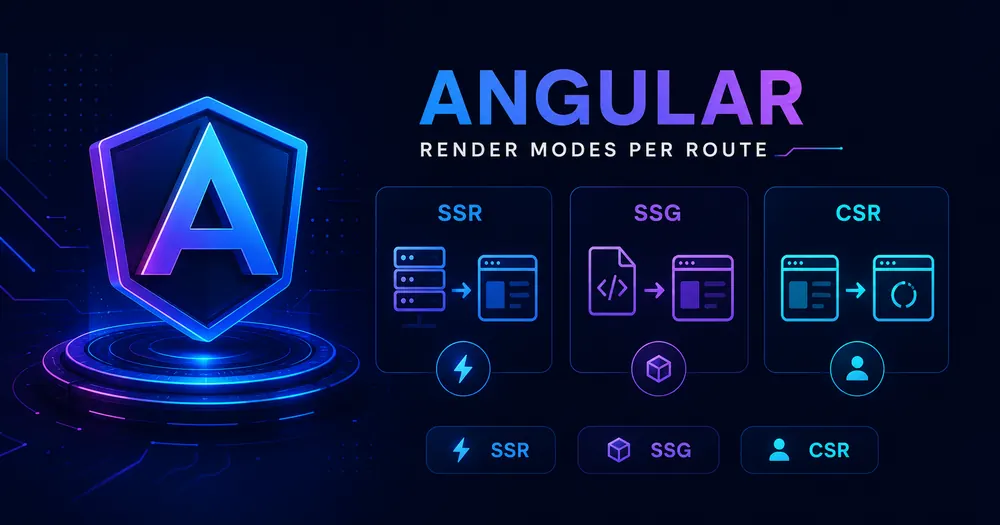
Your Angular app renders. Eventually. The user stares at a blank screen while a few hundred kilobytes of JavaScript download, parse, and boot — and only then does anything appear. That’s client-side rendering, and it’s been Angular’s default since day one.
Angular render modes change that. Since v17, you don’t pick one rendering strategy for the whole app — you pick one per route. Your marketing page can ship as static HTML, your dashboard can stay client-only, and a user’s profile can render fresh on the server for every request. Same app. Three strategies.
The catch: the official docs hand you a table of three modes and mostly leave the “which one, when” up to you. That decision is the whole game. Get it wrong and you either pay for server compute you never needed, or you tank your SEO on the exact pages that needed it most.
Here’s how each mode actually behaves, and a decision framework for assigning them route by route.
Table of Contents
- TL;DR: The Three Render Modes at a Glance
- What Hybrid Rendering Actually Means
- Client-Side Rendering (CSR)
- Server-Side Rendering (SSR)
- Build-Time Prerendering (SSG)
- How Do You Choose a Render Mode Per Route?
- A Real-World Mixed Configuration
- Prerendering Dynamic Routes Without Breaking the Build
- Measuring Whether It Actually Helped
- Tradeoffs Nobody Mentions Upfront
- Conclusion
- FAQ
TL;DR: The Three Render Modes at a Glance
| Mode | When HTML is built | Best for | SEO | Server cost |
|---|---|---|---|---|
| Client (CSR) | In the browser, at runtime | Authenticated app shells, offline/PWA, dashboards | Weak | None |
| Server (SSR) | On the server, per request | Personalized or frequently-changing pages | Excellent | Per request |
| Prerender (SSG) | At build time | Pages identical for all users (docs, marketing, blog) | Excellent | Near zero |
You set this per route through a RenderMode value. One app can use all three.
What Hybrid Rendering Actually Means
Hybrid rendering is Angular’s way of mixing server-side rendering, prerendering, and client-side rendering inside a single application, controlled at the route level. You’re not flipping a global switch — you’re annotating each route with how it should be produced.
The configuration lives in a file named app.routes.server.ts, separate from your normal router config:
// app.routes.server.ts — Angular 17+ (@angular/ssr)
import {RenderMode, ServerRoute} from '@angular/ssr';

export const serverRoutes: ServerRoute[] = [
  {
    path: '',          // home renders in the browser (CSR)
    renderMode: RenderMode.Client,
  },
  {
    path: 'about',     // static page, baked at build time (SSG)
    renderMode: RenderMode.Prerender,
  },
  {
    path: 'profile',   // user-specific, rendered per request (SSR)
    renderMode: RenderMode.Server,
  },
  {
    path: '**',        // everything else falls through to SSR
    renderMode: RenderMode.Server,
  },
];Code language: TypeScript (typescript)
You wire that array into the app with provideServerRendering and the withRoutes feature:
// app.config.server.ts
import {provideServerRendering, withRoutes} from '@angular/ssr';
import {serverRoutes} from './app.routes.server';

const serverConfig: ApplicationConfig = {
  providers: [
    provideServerRendering(withRoutes(serverRoutes)),
    // ...other providers
  ],
};Code language: TypeScript (typescript)
If you haven’t scaffolded SSR yet, that’s a separate setup step — ng add @angular/ssr does the heavy lifting. I cover the full wiring in the hybrid rendering setup guide. This article assumes the plumbing exists and focuses on the decision: which mode goes on which route.
⚠️ Note: By default Angular prerenders your entire application and generates a server file. To opt routes into true per-request SSR you must set them to
RenderMode.Server. To drop the Node server entirely, setoutputMode: 'static'inangular.json.
Client-Side Rendering (CSR)
CSR is the original Angular behavior. The server ships a near-empty HTML shell plus your JavaScript bundles; the browser does the rest.
It has the simplest mental model — your code always runs in a browser, so every browser-only library and global (window, localStorage, third-party widgets) just works. No server-safety constraints to think about.
The cost is the first paint. The browser has to download, parse, and execute the bundle before the user sees anything, and if the page then fetches data, that’s another round trip on top. Search crawlers also cap how much JavaScript they’ll run, so CSR pages can index poorly or not at all.
Where CSR genuinely wins: the area behind a login. A dashboard nobody can reach without authenticating gets no SEO benefit from server rendering anyway, and it often leans on browser APIs that don’t exist on the server. Render it in the browser and skip the complexity.
{
  path: 'dashboard',
  renderMode: RenderMode.Client,
}Code language: TypeScript (typescript)
💡 Tip: PWAs and offline-first apps lean on CSR by design — once the service worker is in control, it serves and renders locally without round-tripping to a server.
Server-Side Rendering (SSR)
With SSR, the server runs Angular on every request and returns a fully populated HTML document. The browser shows meaningful content immediately, then Angular hydrates it into a live app.
Two real wins here. First, perceived speed: the user waits only for the server to fetch data and render, not for a JavaScript boot sequence. Second, SEO — crawlers receive complete HTML, so indexing is reliable.
SSR earns its place when a page is personalized or changes often: a logged-in profile, a cart, a feed, a search results page. Content that can’t be known until request time, but still needs to arrive as real HTML.
{
  path: 'profile',
  renderMode: RenderMode.Server,
  // optional: tune the HTTP response per route
  headers: {'Cache-Control': 'no-store'},
  status: 200,
}Code language: TypeScript (typescript)
The price is twofold. Your server runs Angular for every hit, which costs CPU and money under load. And your component code can no longer assume a browser — touch document directly and it’ll throw on the server. (More on surviving that in a moment.)
Build-Time Prerendering (SSG)
Prerendering generates the HTML once, at build time. The server — or a plain CDN — then answers requests with a static file and does essentially no work.
This is the fastest mode there is. There’s no per-request rendering, the output caches trivially on CDNs and browsers, and you can deploy the whole thing to static hosting with no Node runtime at all.
The constraint is in the name: build-time. Everything needed to render the page must be known before a single user shows up. So SSG fits pages that are the same for everyone — documentation, marketing pages, blog posts, changelogs.
{
  path: 'pricing',
  renderMode: RenderMode.Prerender,
}Code language: TypeScript (typescript)
⚠️ Note: Prerendering thousands of pages with
getPrerenderParamscan balloon both build time and deployment size. It’s free at runtime, not free at build.
One honest caveat on redirects, because it bites people: under SSR a redirectTo becomes a real HTTP 301/302. Under SSG it can’t — there’s no server in the loop — so Angular emits a “soft redirect” via a <meta http-equiv="refresh"> tag instead. Functionally similar, but not identical for SEO. Worth knowing before you prerender a route that redirects.
How Do You Choose a Render Mode Per Route?
Skip the feature matrix and ask three questions about each route, in order.
1. Is the content the same for every visitor? If yes, prerender it. A pricing page, an about page, a published article — there’s no reason to regenerate identical HTML on every request. SSG, done.
2. If it differs per user or changes often, does it need to be indexed or fast on first paint? If yes, that’s SSR. Personalized landing pages, product pages with live stock, anything a crawler must see — render on the server per request.
3. Is it behind auth or browser-only? Then CSR. No SEO to gain, frequently dependent on browser APIs, and you save the server the work.
A useful default for the catch-all: send ** to RenderMode.Server. SSR is the safe fallback — it always produces real HTML and never assumes build-time knowledge. You can then promote specific routes to prerender once you’ve confirmed they’re static, and demote private routes to client rendering. Optimize from a working baseline rather than guessing upfront.
Honestly, this per-route model is the most underrated thing Angular shipped in the v17 era, and the docs present it almost as an afterthought. Most teams I’ve seen still reach for “SSR everything” out of habit and then wonder why their build server is on fire.
A Real-World Mixed Configuration
Here’s how a typical SaaS marketing-plus-app project might map out. Notice that no single mode dominates — each route gets what it actually needs.
// app.routes.server.ts
import {RenderMode, ServerRoute} from '@angular/ssr';

export const serverRoutes: ServerRoute[] = [
  // Marketing — identical for everyone, prerender for speed + SEO
  {path: '', renderMode: RenderMode.Prerender},
  {path: 'pricing', renderMode: RenderMode.Prerender},
  {path: 'docs/**', renderMode: RenderMode.Prerender},

  // Public, dynamic content that must rank — server render per request
  {path: 'blog/:slug', renderMode: RenderMode.Server},

  // Authenticated app — no SEO value, browser-heavy — client only
  {path: 'app/**', renderMode: RenderMode.Client},

  // Anything unmatched: safe SSR fallback
  {path: '**', renderMode: RenderMode.Server},
];Code language: TypeScript (typescript)
Marketing pages cost nothing at runtime. The blog ranks and stays fresh. The product app skips server overhead entirely. That’s the payoff of treating rendering as a per-route decision instead of an app-wide setting.
Prerendering Dynamic Routes Without Breaking the Build
A route like blog/:slug looks dynamic, but if the set of slugs is known at build time, you can still prerender it. That’s what getPrerenderParams is for — it returns the list of parameter values to bake out.
{
  path: 'post/:id',
  renderMode: RenderMode.Prerender,
  fallback: PrerenderFallback.Client, // unknown ids render client-side
  async getPrerenderParams() {
    const posts = inject(PostService);
    const ids = await posts.getIds(); // e.g. ['1', '2', '3']
    return ids.map((id) => ({id}));   // -> /post/1, /post/2, /post/3
  },
}Code language: TypeScript (typescript)
Two things trip people up here. The function only runs at build time, so it must not touch browser- or server-runtime APIs — only build-time data sources. And inject() has to be called synchronously, before any await. Grab your dependencies at the top of the function; calling inject() after an await will fail.
The fallback property decides what happens when someone requests an id you didn’t prerender. PrerenderFallback.Client renders it in the browser, .Server (the default) renders it per request, and .None simply doesn’t handle it. For a blog with new posts appearing between deploys, Client or Server fallback is what keeps fresh URLs from 404-ing.
Measuring Whether It Actually Helped
Switching a route to SSR or SSG is a performance bet. Measure it, don’t assume it.
The metric that moves most when you go from CSR to SSR/SSG is Largest Contentful Paint — real HTML arriving sooner is the entire point. Pull the field data from the Core Web Vitals report in Search Console, or wire the web-vitals library to a GA4 / GTM custom event so you get a before/after on real users:
import {onLCP, onINP, onCLS} from 'web-vitals';

function send(metric: {name: string; value: number}) {
  // Push to the dataLayer; create a GA4 event tag on this trigger in GTM
  (window as any).dataLayer?.push({
    event: 'web_vitals',
    metric_name: metric.name,
    metric_value: Math.round(metric.value),
  });
}

onLCP(send);
onINP(send);
onCLS(send);Code language: TypeScript (typescript)
Watch CLS specifically after enabling SSR. If it gets worse, you’ve likely got a hydration mismatch — server and client rendering different markup, causing a layout jump. That’s a whole failure mode of its own; I dig into the causes and fixes in the hydration mismatch guide.
Tradeoffs Nobody Mentions Upfront
A few things the comparison table won’t tell you:
- SSR and SSG both forbid browser globals during render. Code that reads
window,document,navigator, orlocationat render time breaks on the server. You move that work intoafterNextRender/afterEveryRender, which only run in the browser. isPlatformBrowserin templates is a trap. Using@if (isPlatformBrowser(...))to show different content on server vs client causes hydration mismatches and layout shift. Keep the rendered markup identical across platforms; branch on platform only inside lifecycle hooks or via platform-specific providers.- Server providers persist across requests. A top-level provider with
useValueholds its value until the server restarts. If you need a fresh value per request, useuseFactory— the factory runs for each incoming request. - Service workers flip the mode after first load. With the Angular service worker, the first request is server-rendered and everything after is handled client-side by the worker. Your “SSR” route is really SSR-once.
None of these are blockers. They’re just the kind of thing you’d rather read now than discover in a 3 a.m. production incident.
Conclusion
The mental shift that matters: rendering in Angular is no longer one decision you make for the app — it’s a small decision you make for each route. Static where you can, server where you must, client where it’s private. Start every unmatched route on SSR as a safe default, then promote the genuinely static pages to prerendering and demote the private ones to CSR.
Open your app.routes.server.ts, run each route through the three questions, and reassign. Then measure LCP before and after. Most apps are leaving easy wins on the table because they picked one mode for everything — and that’s the one habit worth breaking this week.
FAQ
What’s the difference between SSR and SSG in Angular? SSR (RenderMode.Server) builds the HTML on the server for every request, so it can include per-user, per-request data. SSG (RenderMode.Prerender) builds the HTML once at build time, so the content is identical for everyone but is served as a static file with near-zero runtime cost.
Is server-side rendering better than client-side rendering for SEO? Generally yes. SSR and prerendering both hand search crawlers a fully rendered HTML document, while CSR relies on the crawler executing your JavaScript — which has limits. For any public page you want indexed, SSR or SSG is the safer choice.
Can I use different render modes for different routes in Angular? Yes — that’s the entire point of hybrid rendering. You assign a RenderMode to each route in app.routes.server.ts, and a single application can mix Client, Server, and Prerender modes freely.
Does Angular SSR increase server costs? It can. Server rendering runs Angular on the server for each request, consuming CPU. Prerendering avoids this by generating static files at build time, and client rendering offloads everything to the browser. Reserve SSR for routes that truly need per-request HTML.
Which Angular version do I need for render modes? The @angular/ssr package with per-route ServerRoute configuration is available from Angular 17 onward and is the current approach through v21. Older Angular Universal setups use a different, now-legacy API.